
ChatGPT or Claude may already be open on your desk for guest emails, owner updates, and the odd spreadsheet formula. Then someone asks how the Comp Set looks for next weekend, and it’s back to another tab, a screenshot, and a paste.
The Anny AI MCP server cuts out that round trip. Connect it once, and your assistant can read the hotels, Comp Sets, rates, reports, and shops you already see in Anny AI, then answer in the conversation you have open.
Why pasting rates into ChatGPT stops working by the second question
An AI assistant is good at reading numbers and writing them up. It just doesn’t have yours. Ask about your Comp Set and it either guesses or asks you to paste a table.
Pasting works for one question. The second one usually needs data you didn’t paste. “Which competitor moved the most?” needs more than today’s table, and the table goes stale as soon as the next shop finishes. You also end up deciding what the assistant sees, one screenshot at a time.
What MCP is, and what your assistant can do with it
MCP, short for Model Context Protocol, is an open standard that lets an AI assistant connect to another app and use its data and tools, with your permission.
The Anny AI MCP server gives your assistant a set of tools for your Anny AI account. You ask in plain words, the assistant picks the tools it needs, Anny AI returns the data, and the assistant writes the answer. Your assistant can:
- read your hotels, Comp Sets, rate reports, and rate trends
- read the figures on your dashboard tabs, such as Today, Overview, Pulse 1Y, and Table, so its answer matches your screen
- read the saved daily brief for the Revenue, Owner, Front desk, or Sales role
- check your tracked events and the places that bring guests to your hotel
- search your team’s documents and the Anny AI Help Center
- compare your hotel with its Comp Set on amenities, reviews, and local demand, from public web pages
It can also make changes when your role allows them: start an on-demand rate shop, change a shop schedule, update your Comp Set, add a tracked event, or send a team message. The public page at www.anny.ai/mcp lists every tool, more than 50 of them, each marked Read or Action.
Connect Claude or ChatGPT to Anny AI
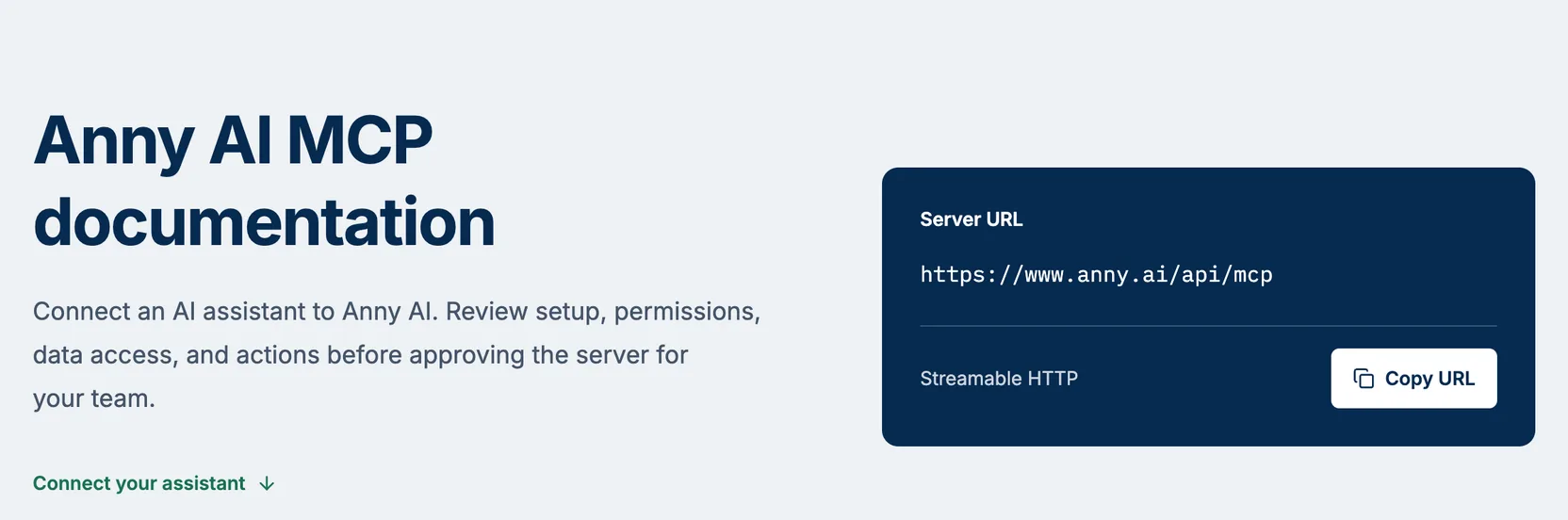
That’s the public MCP page. The dark card holds the one thing your assistant needs, the server URL https://www.anny.ai/api/mcp. Choose Copy URL, then add it to your assistant.
In Claude, add a custom connector, name it Anny AI, and paste the URL. On a Claude Team or Enterprise plan, an owner adds the connector for the organization first.
ChatGPT calls these connections apps. Turn on developer mode, create an app named Anny AI, and use the URL as its endpoint. If you don’t see the option, ask your ChatGPT workspace admin.
The Help Center guide Connect Claude or ChatGPT walks through each menu step by step.
When you connect, your browser opens Anny AI. Sign in with your own Anny AI account. You don’t need an API key. The consent screen, Connect an app to Anny AI, names the app and lists what it will be able to do:
- View organizations, hotels, rates, reports, and shops you can access.
- Make changes only when your current Anny AI role permits them.
- Start cost-incurring shops when you request those tools.
Choose Allow to connect, or Deny to stop.
Asking Claude about your hotel’s rates
Start with the check the Help Center suggests:
List my Anny AI organizations. Then let me choose one and show me its hotels.
If your hotels come back, the connection works. From there, ask the way you’d ask a colleague.
For example, imagine it’s Monday morning and you ask Claude, “What does my Today dashboard say about the week ahead?” Claude reads the same figures your Today tab shows and sums them up. You follow with “Which competitor moved the most?” and then “Where are the OTAs cheaper than our direct rate?” Each answer comes from your Anny AI data, not from a table you pasted.
Then you ask for a fresh shop of your hotel and five competitors for the next 14 arrival dates. An on-demand shop costs the number of hotels times the number of arrival dates, so that’s 6 × 14 = 84 shop credits. Before the shop starts, Anny AI tells the assistant to confirm the hotels, dates, and cost with you.
What to ask it this week
The owner update is the obvious one. Ask your assistant to draft it where you already write, with this week’s rates already in the conversation. Before the morning meeting, try “Read the owner brief for my hotel, including when its data was collected.”
Policy questions work too. “What is our cancellation policy?” gets an answer from your team’s documents, with a link to each one the assistant used. “Find the Help Center guide for adding a competitor and open it” saves you a search. And “How does my hotel compare with its Comp Set?” is a good place to start pulling a thread, like “Who else charges for parking?”
What your assistant sees, and what it can spend
Your assistant sees what you can see in Anny AI. Every request checks your membership, your role, and the hotels you can open, and a change needs the same role it needs in Anny AI. Each teammate connects with their own Anny AI account, so each connection carries that person’s access.
Tool results go to your assistant and follow its data retention and training settings, so review those settings before you connect.
An on-demand shop spends shop credits, included credits first, then purchased ones. Keep approval prompts on in your assistant so you confirm every shop and every change.
Your assistant can start a document draft. You open the draft in Anny AI to answer its questions and publish it. Billing, invitations, and team members stay in Anny AI itself.
Disconnect an assistant
Open Settings from the workspace menu and find Connected apps. It lists every app you authorized, with the date you connected it. Choose Revoke, and Anny AI refuses that app’s next request, even if its sign-in hasn’t expired yet. Anything the assistant already received stays in its chat history, so delete it there if you need to.
Start with one question tomorrow
Copy the server URL from www.anny.ai/mcp, where you can also read every tool, with what each one reads or changes, without signing in. The Help Center covers setup for both assistants under Connect Claude or ChatGPT, and Connect coding agents covers Claude Code, Codex, Cursor, and VS Code. Once you’re connected, ask tomorrow’s first market question in the assistant you already have open.
Every Anny AI user can connect an assistant, Viewers included. You can compare the plans at www.anny.ai/pricing.